
Release Date: February 1, 2026
This release introduces four new enhancements designed to make your security testing workflow faster, more streamlined, and easier to manage.
In This Release:
- Never Miss a Critical Alert Again
- Edit Simulations Without Starting From Scratch
- More Realistic Monitoring, Fewer False Blocks
- Stability Improvements
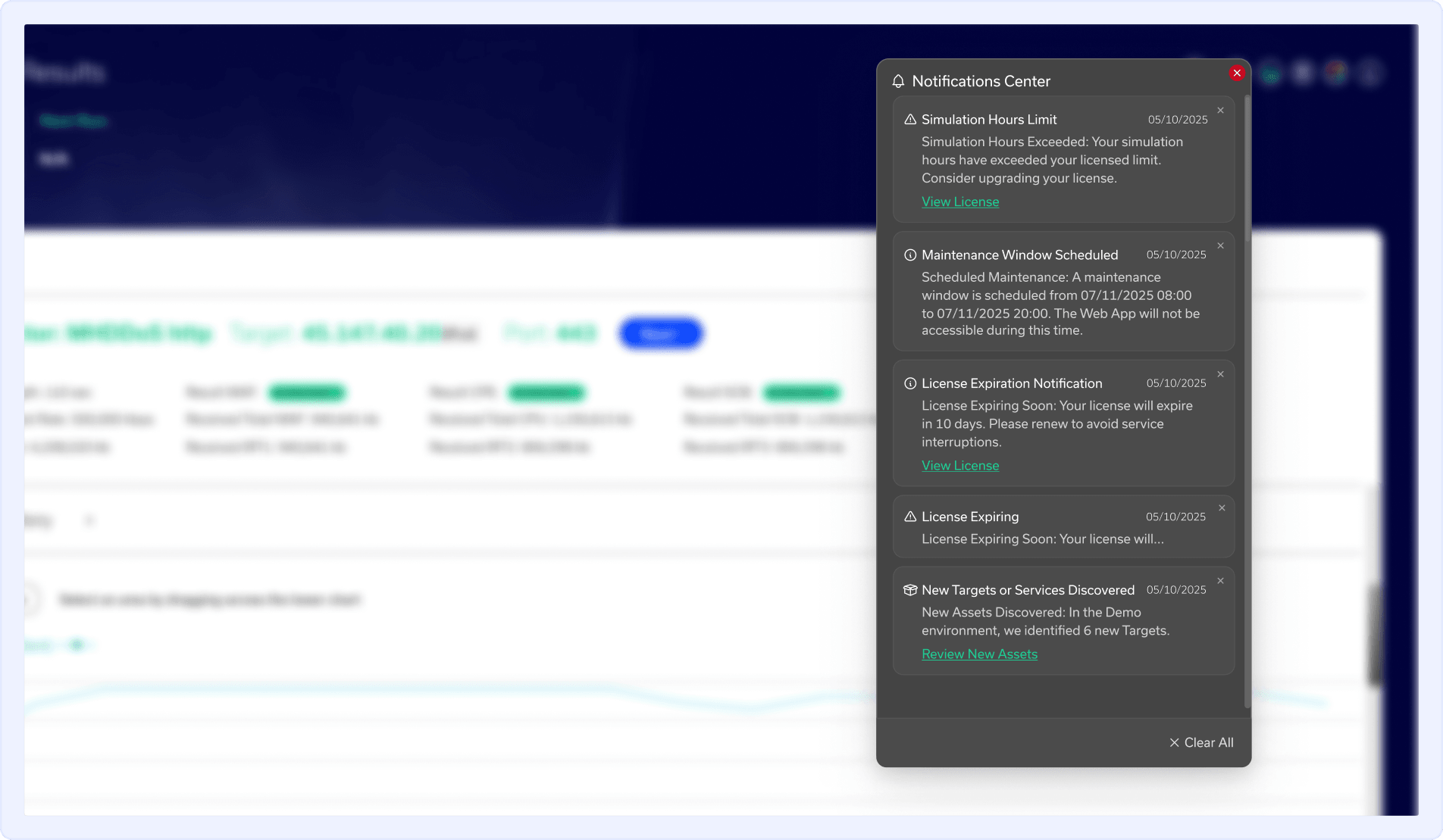
Notifications Center Feature
The new Notifications Center consolidates everything into a single, always-visible hub inside RADAR. Whether it's a mirror port error quietly degrading your monitoring quality or a license threshold you're about to hit, you'll know about it the moment it happens, not after the damage is done.
Alerts clear themselves once an issue is resolved, so your feed stays clean and actionable rather than filling up with noise.
What it includes:
- License and usage limits approaching thresholds
- Scheduled maintenance windows
- Newly available reports
- Completed simulation cycles
- Newly discovered Targets or Services
- Infrastructure issues (mirror port errors, detector faults)
Where to Find It:
Look for the bell icon in the top-right corner of the RADAR web app.
Full Event Editing Enhancement
Your threat environment evolves. Your simulation schedule should keep up.
Previously, adjusting the scope of a scheduled simulation meant deleting it and rebuilding from zero. Now you can edit existing scheduled events directly - add or remove Targets and Attack Vectors, tweak advanced configuration settings, and update recurrence rules, all without losing your setup.
For teams running continuous or recurring testing cycles, this eliminates a frustrating bottleneck and keeps your test coverage aligned with what's actually in your environment.
Where to Find It:
- In the left navigation menu, click Simulations.
- Click Scheduler.
- Locate the scheduled event you want to update and click the Details icon.
- Modify the required settings.
- Click Save to apply the changes.

New WebKit Monitor Enhancement
Security controls are getting smarter about detecting synthetic traffic. That's great for stopping real attackers — but it can also mean your own monitoring requests get blocked, quietly skewing your test results.
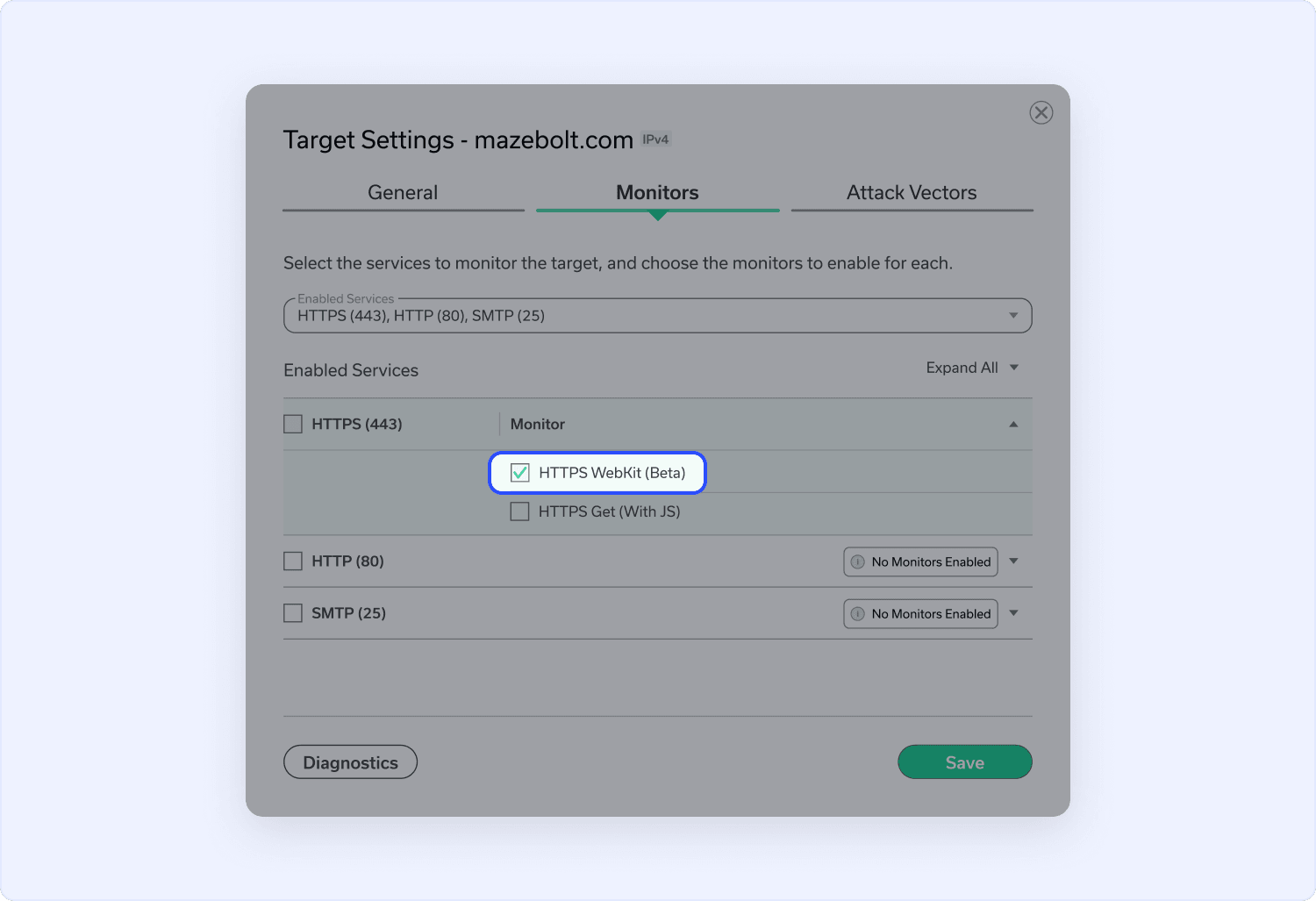
The upgraded WebKit Monitor now includes a Sec-CH-UA client hint header, making RADAR's monitoring traffic indistinguishable from standard browser requests. The result: fewer false blocks from your security stack and more accurate, trustworthy validation data.
Where to Find It:
- In the left navigation menu, click Environment.
- Select Targets.
- Locate the Target you want to update and click the Edit icon.
- Open the Monitor Settings tab.
- Enable the WebKit Monitor option.
- Click Save to apply the changes.
Bug Fixes & Validation Controls Bug fix
This release also includes under-the-hood improvements to configuration safeguards and platform reliability. These changes reduce the risk of misconfiguration errors and improve overall stability, especially for teams running complex or high-frequency testing scenarios.
Questions about any of these updates?
Reach out to your Customer Success Manager or contact our support team (opens in a new tab) - we're here to help you get the most out of every release.