
What is the Attack Library
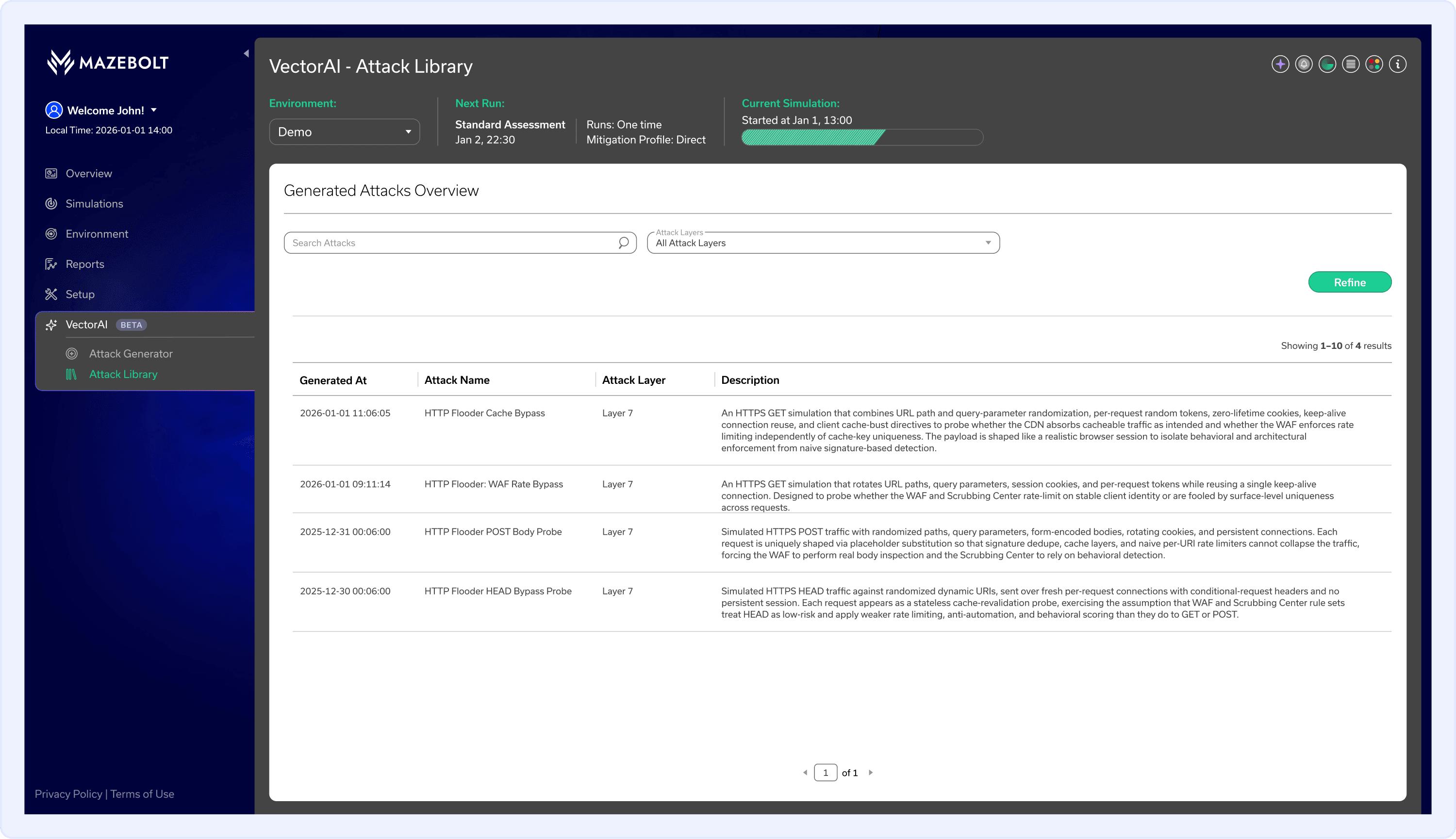
The Attack Library is a page within VectorAI™ that displays all generated attack vectors for the selected environment. It provides a centralized view of every attack vector that VectorAI has crafted, allowing security teams to review generation results and assess available attack scenarios before using them in simulations.
Each entry in the Attack Library table includes the generation date and time, attack name, attack layer, and a description of the attack scenario. Failed generation attempts are recorded in the History panel on the Attack Generator page and are not displayed here.
The Attack Library reflects the output of the Attack Generator page. Every attack vector successfully crafted on the Attack Generator page is automatically saved to the Attack Library, where it remains available for review.
What You'll Learn on This Page
On this page, you'll learn how to navigate to the Attack Library, understand the information displayed for each generated attack vector, and use the available search and filter options to find specific attack vectors.
How to View the AI-Generated Attack Library
Follow these steps to view the Attack Library in the RADAR platform:
- In the left navigation menu, go to VectorAI and select Attack Library.
The Attack Library displays attack vectors for the currently selected environment. To view attack vectors for a different environment, select the relevant environment from the Environment dropdown at the top of the page.
Filtering and Searching the Attack Library
The Attack Library includes search and filter options to help you locate specific attack vectors.
Search Attacks
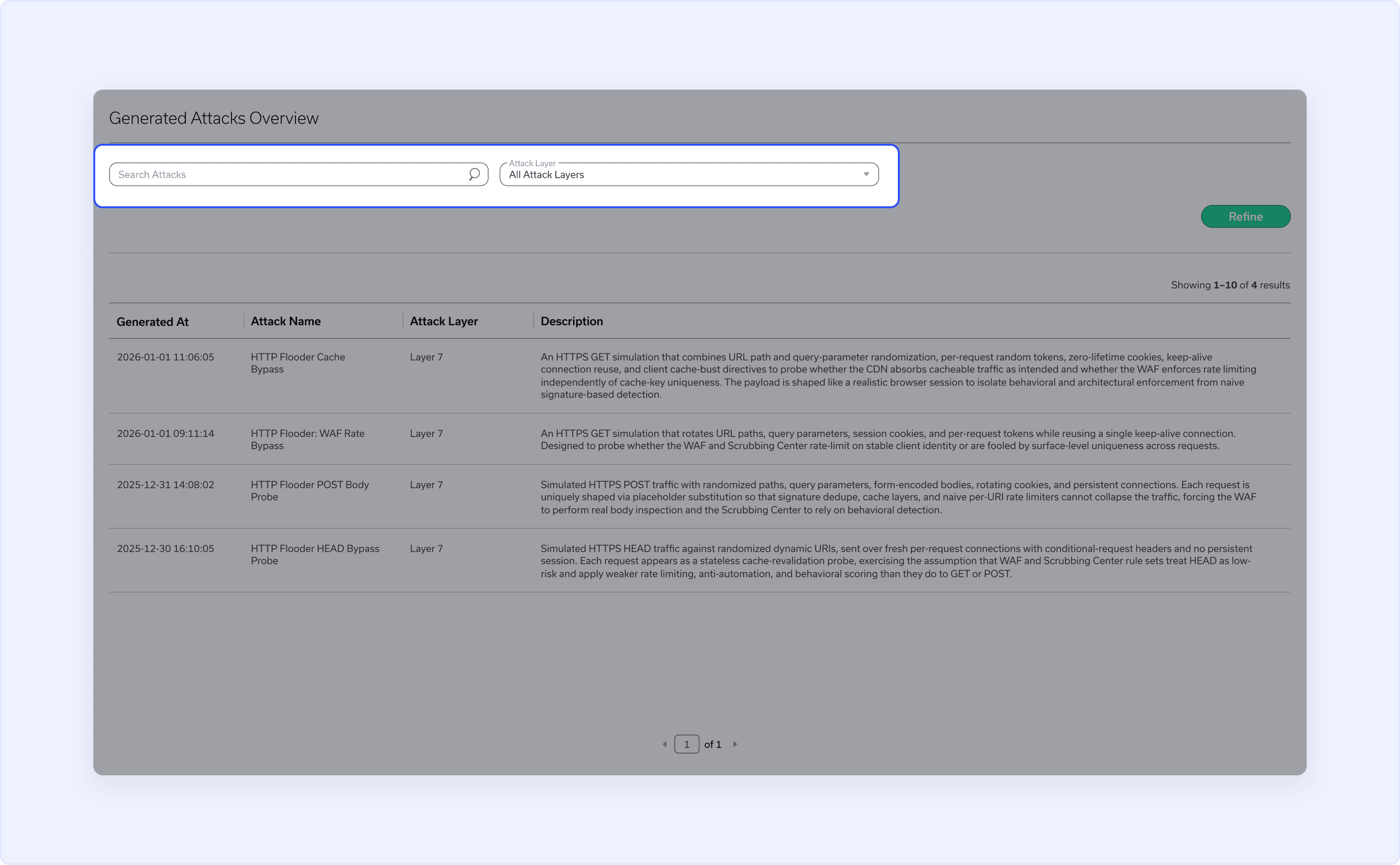
Enter a search term in the Search Attacks field to find attack vectors by name.
Attack Layer
Select a layer from the Attack Layer dropdown to filter the table by a specific OSI layer. The default selection is All Attack Layers.
Refine
Once you have configured your search and filter selections, click Refine to apply them to the table.
Understanding the Attack Library Table
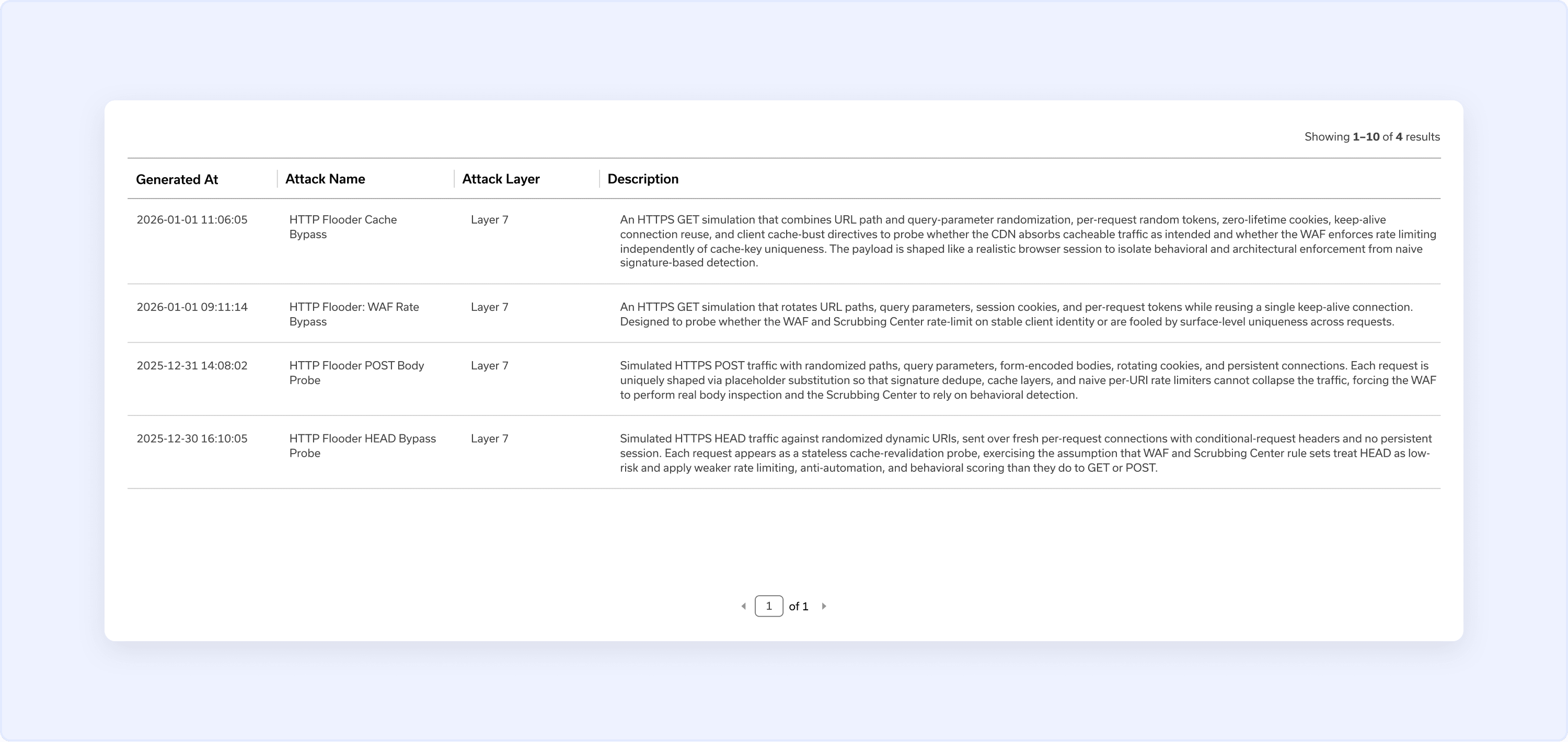
The Generated Attacks Overview table displays the following information for each generated attack vector:
- Generated At — The date and time the attack vector was created.
- Attack Name — The name assigned to the generated attack vector.
- Attack Layer — The OSI layer the attack vector targets.
- Description — Detailed information about the attack scenario, including the attack behavior, conditions, and protection gaps it is designed to validate.
Use the description to understand what each attack vector tests and to help prioritize which vectors to include in your next simulation.
Use the page navigation at the bottom of the table to navigate between pages of results.
What's Next
Now that you've reviewed your generated attack vectors in the Attack Library, proceed to the How to Schedule a Simulation page to include them in a simulation.